lib/error_log_flashcards.py holds the raw parser for your coding practice error logs. You’ve been tracking every failed quiz answer, broken unit test, misremembered syntax rule, and misconfigured infrastructure deployment in a plaintext error log for 12 weeks, and this script turns that unstructured, personal data into a custom flashcard deck that targets exactly the gaps you already know you have, instead of wasting time on generic pre-made deck content focused on concepts you’ve already mastered. Every prompt is tied directly to a mistake you’ve made in a real work, study, or practice scenario, so you don’t waste hours memorizing facts that never come up in your actual workflow.
Parse error log entries for spaced repetition eligibility
The first step of the script filters out error entries that don’t provide enough long-term value to include in spaced repetition practice. Not every mistake belongs in a flashcard: one-off typos you fixed in 10 seconds, temporary environment errors unrelated to your skill level, and mistakes you’ve already demonstrated mastery of over multiple weeks get filtered out automatically. The parsing workflow follows 4 core steps to prioritize high-value entries:

- Pull all entries from your linked error log file, stripping out non-actionable metadata like terminal output paths, local file directories, and temporary debug logs unless you explicitly flag them as relevant during initial logging.
- Score each entry for recurrence: each time you log the same or closely related error, add 2 points to its eligibility score. Closely related errors are grouped using a fuzzy string match that looks for overlapping core error messages, skill tags, and code snippets.
- Score each entry for impact: errors that blocked your work for 10+ minutes get 3 points, errors that caused a failed deployment or quiz submission get 5 points, and errors that you had to look up a public solution for more than twice get 4 points.
- Keep all entries with a combined score of 4 or higher, flag low-score entries for review in your next monthly log cleanup, and discard duplicate entries that reference the exact same mistake with no new context or updated notes.
Illustrative example: Over 12 weeks, you logged 7 different failed attempts to write a correct Python list comprehension that filters nested dictionaries returned from a third-party API, for a total recurrence score of 14, plus each attempt blocked your work for at least 15 minutes for a total impact score of 21, so the entry gets the maximum eligibility priority for deck inclusion.
You can adjust the eligibility score threshold directly in the first 10 lines of the script if you want to include more or fewer entries, depending on how much time you have for flashcard practice each week. If you only have 10 minutes a day to study, you can raise the threshold to 8 to only include your highest-impact, most frequent mistakes. If you’re prepping for a certification exam and have 30 minutes a day to practice, you can lower the threshold to 2 to include almost all logged errors.
Map log metadata to flashcard field requirements
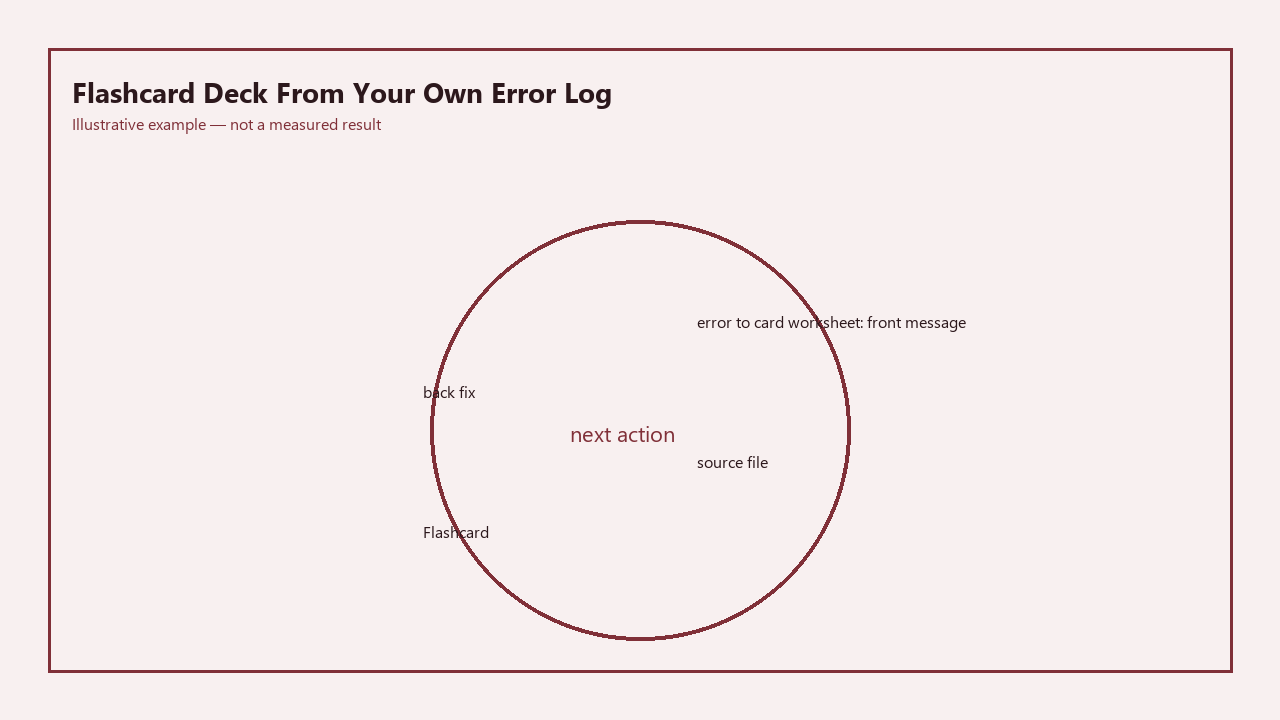
Once eligible entries are filtered and sorted, the script converts each entry to three core flashcard fields that are optimized for active recall, not passive memorization. The front of the card is a scenario-based question that prompts you to apply the correct fix, the back of the card is the step-by-step solution or correct implementation, and the context field includes the original error message, the project you were working on when you made the mistake, and any personal notes you added when you logged the error. The script avoids generic question framing that doesn’t align with your real workflow: for example, if your error was forgetting to add a key prop to mapped React elements, the front of the card doesn’t say “What prop do you add to mapped React elements?” it says “You get a warning that each child in a list should have a unique key prop when you map over an array of user data to render profile cards. Write the line of code that fixes this warning for the following snippet: [insert the exact snippet from your error log].” This framing ensures you practice the exact scenario where you made the mistake, so you’re less likely to repeat it when you encounter the same scenario in real work. You can add custom fields if you use a flashcard app that supports them: for example, a difficulty field, a related concept link, or a tag for specific certifications you’re studying for. This mapping workflow aligns with the active recall best practices outlined in Build Next Stack’s study skill guides for technical learners.
Export compiled decks to Anki and Quizlet formats
Once all entries are mapped to flashcard fields, the script exports the full deck in two common, widely supported formats so you can use it with whatever spaced repetition app you prefer. The Anki export includes a custom note type that matches the fields you defined, so you don’t have to manually map fields when you import the deck, and it preserves all tags so you can filter your study sessions by skill domain, error type, or project. The export also includes embedded syntax highlighting for code snippets, so you don’t lose formatting when you view the cards in the Anki mobile or desktop app. The Quizlet export is formatted as a CSV that you can upload directly to your Quizlet account, with support for rich text and code snippets so you don’t have to reformat any entries after upload. The export step also generates a plaintext summary of all cards included in the deck, so you can review the full list before you import it, and delete any cards that you don’t want to include anymore. If you use a different flashcard app, you can modify the export function in the script to output the exact CSV or JSON format that your app supports, no extra tools or paid services required. The script automatically skips any entries you marked as “resolved” in your error log, so you don’t get flashcards for mistakes you already know you’ve fixed permanently after multiple weeks of correct performance.
Return to this file to add adaptive difficulty weighting
This is the next feature you will build when you open this file next. Right now, all cards in the deck get the same default starting difficulty in your spaced repetition app, but you can add a weighting system that adjusts the starting difficulty based on the eligibility score you calculated earlier. Higher-score entries (the mistakes you make most often, that caused the most disruption to your work) get a higher starting difficulty, so your spaced repetition app shows them to you more frequently until you prove you’ve mastered them, while lower-score entries get a lower starting difficulty, so they show up less often and don’t take up unnecessary study time. When you open this file next, you’ll start by testing the difficulty weighting logic with the 72 eligible entries from your last 12 weeks of error logs, to make sure the starting difficulty levels align with how well you currently know each concept. You don’t need any external libraries for this feature, just a few extra lines of code that map the eligibility score to the standard 1-10 difficulty scale used by most spaced repetition apps. You’ll also add a sync feature that pulls new entries from your error log every time you run the script, so you don’t have to manually re-run the parser every time you add a new error to your log. You can also add a feature that automatically archives cards that you get right 5 times in a row, so your deck doesn’t get cluttered with concepts you’ve fully mastered and no longer need to practice. Once you add these features, your flashcard deck will automatically adapt to your learning progress, so you spend less time studying material you already know and more time fixing the exact gaps that are holding you back in your learning and work. The core functionality of the script is already complete, so you can generate your first custom deck today and test it for a few weeks before you come back to add these advanced features, to make sure you’re building adjustments that fit your specific study routine.