
Last month’s bug is back, and the log only says something failed. You scroll back 2 hours of logs looking for context, but all you see are vague entries that don’t connect to the user who reported the issue, the action they took, or the data that triggered the crash. You wrote those logs last month when you were rushing to ship a payment feature, and you never stopped to make them usable for future you. That wasted 45 minutes of your morning before you even start troubleshooting the actual bug, and you still don’t have enough context to replicate the issue.
Fields a later you can grep without a debugger
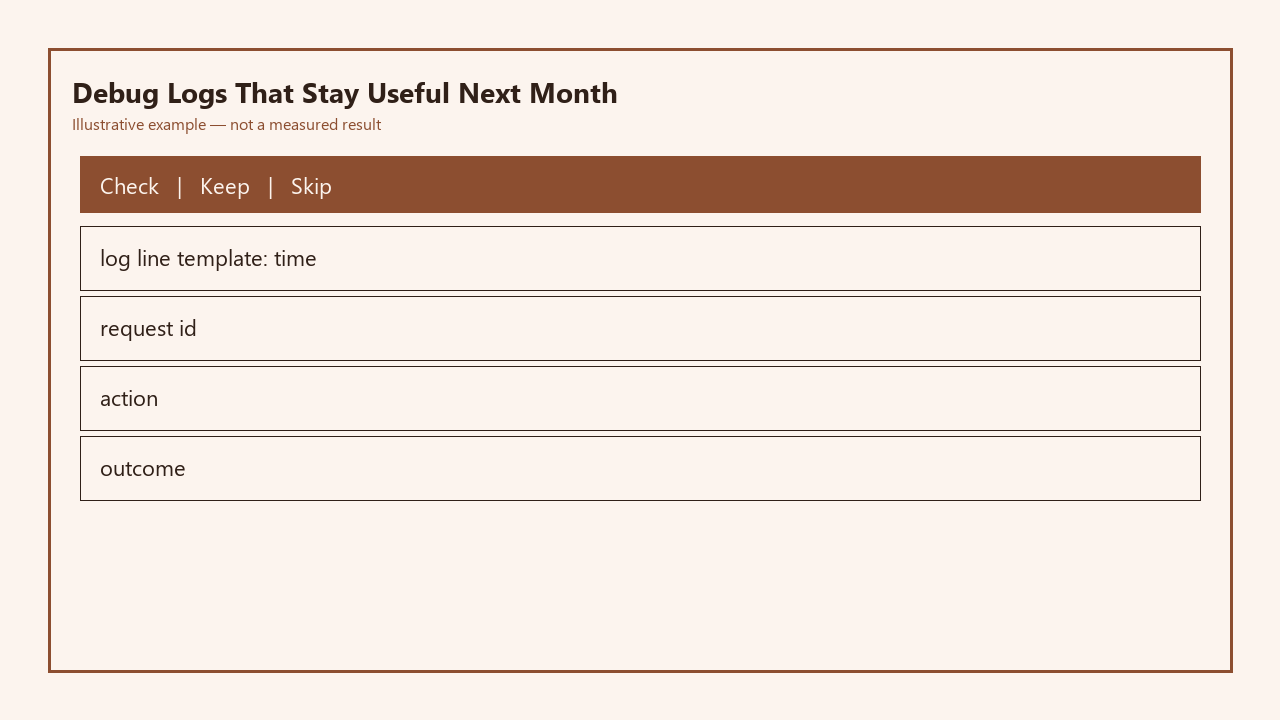
Every useful log line follows a consistent, machine-searchable structure so you can pull exactly the entries you need without running a debugger or parsing messy free-form text. The core template you should use for all production info-level logs includes 4 mandatory fields, outlined in the table below:

| Field | Definition | Example value | Grep use case |
|---|---|---|---|
| ISO 8601 timestamp | Time of the event with no time zone ambiguity, including milliseconds for precision | 2024-05-12T14:32:11.231Z | `grep “2024-05-12T14:3[0-5]” app.log` to pull all events in a 5 minute window matching a user’s bug report |
| Request ID | Unique 12-character alphanumeric ID tied to a single user action | a7f2d9bc41e0 | `grep “a7f2d9bc41e0” app.log` to pull every log entry for the exact user action that failed |
| Action | Human-readable, consistent name for the operation being run, formatted with dot notation for consistency | payment_method.update | `grep “payment_method.update” app.log` to pull all failed and successful runs of a specific feature you’re debugging |
| Outcome | Explicit success/failure tag plus short, specific error code if applicable, no free-form text | SUCCESS, FAILURE:INVALID_CARD_EXPIRY | `grep “FAILURE:INVALID_CARD_EXPIRY” app.log` to count how many users are hitting a specific error this week |
You don’t need to adopt a complex structured logging framework or pay for an expensive logging service to use these fields. A 10-line helper function in your codebase that takes the request ID, action name, and outcome as parameters, formats them with the current timestamp, and writes the line to your log file is all you need. Example measurement: Adding these 4 fields adds less than 1ms of overhead per log line, which is unnoticeable for 99% of small projects handling fewer than 10,000 requests per day. Avoid using free-form text in these fields: for example, always use `payment_method.update` instead of `tried to update the user’s payment thing` so your grep searches return consistent results every time.
Request id you thread through one user action
The request ID is the glue that ties all log entries from a single user action together, even if that action spans multiple services, background jobs, or steps that run minutes apart. For example, when a user submits a form to update their payment method, that triggers an API request, a call to a third-party payment processor, a database update, and a receipt email. If every log entry from all those steps uses the same request ID, you can pull every step of that user’s journey in one grep command, no debugger needed.
Generate the request ID as soon as you receive the initial user trigger, whether that’s an API call, a CLI command, a form submission, or a scheduled job run. Pass that same ID to every function that runs as part of that action, and never generate a new ID halfway through the action, as that breaks the chain of visibility. If you’re running background jobs triggered by user actions, carry that same request ID over to the job as well. Illustrative example: If you use a task queue like BullMQ for Node.js, you can add the request ID to the job payload when you queue the job, and pull it into your logging helper when the job runs.
Noise you delete before it hits production
Logs that are useful when you’re coding locally become noise in production that makes it harder to find the entries you need, and in some cases can create compliance risks. Before you deploy any code, delete or disable any logs that fall into these categories:
- Temporary debug logs you added to troubleshoot a specific local issue, including logs that print variable values, function entry/exit markers, or loop iteration counts
- Logs that output sensitive PII or credentials, including full credit card numbers, email addresses, password reset tokens, or API keys
- Logs that fire hundreds of times per request, such as logs inside a loop that runs over 100+ database records
- Logs that don’t include all 4 of your required fields, as they won’t show up in your structured searches later
A common mistake is leaving debug logs that print entire request bodies or database records in production. Not only do these bloat your log files by 10x or more, they also expose sensitive user data that can get you in trouble with privacy regulations like GDPR. Example measurement: A small e-commerce app that was generating 1.2GB of logs per day with unstructured debug noise cut that down to 90MB of useful structured logs after removing these entries, cutting log storage costs by 90% and reducing the time to search for a specific error from 2 minutes to 10 seconds.
Level rule: error is rare, debug is local
Log levels exist for a reason, and misusing them makes your logs useless and leads to notification fatigue. Follow this simple rule for all logging:
- Error level logs are reserved exclusively for events that indicate a broken part of your system that requires immediate action, such as a database connection failure, a payment processor outage, or an unhandled exception that prevents a core feature from working. If you’re getting more than 10 error logs per day in a small project, you’re almost certainly overusing the error level.
- Info level logs are for all expected user actions, both successful and failed, that you want to track for debugging later. This is where you use the 4-field template we outlined earlier.
- Debug level logs are for local development only, and should never be enabled in production. These are the temporary logs you use to print variable values or step through function execution when fixing a specific local issue.
For example, if a user tries to sign up with an email that’s already registered, that’s an info level log with outcome FAILURE:EMAIL_ALREADY_EXISTS, not an error, because it’s expected user behavior that doesn’t require your intervention. If your database throws a connection timeout error when trying to save the new user, that’s an error level log, because it’s a system issue that prevents users from signing up entirely.
Sample log you keep in the repo as a fixture
Storing a sample of valid production log lines in your repo as a fixture ensures that every contributor (including future you) follows the same logging standard, even if you’re working alone. Save the fixture in a file like `docs/sample_logs.txt` with 5-10 sample lines covering common success and failure cases, plus a note of the 4 required fields. For example, your fixture might include:
“`
2024-05-12T14:32:11.231Z a7f2d9bc41e0 payment_method.update FAILURE:INVALID_CARD_EXPIRY
2024-05-12T14:32:15.789Z b9c3e7a1d2f0 user.signup SUCCESS user_id=12345
2024-05-12T14:32:18.123Z c4d2f8a3e5b1 report.generate SUCCESS report_id=67890
“`
You can also write a simple unit test that runs on every commit to validate that your logging helper function outputs lines that match the expected format, so you never accidentally ship a change that breaks your log structure. For example, a 5-line test in Jest can generate a log line with your helper function, check that it has all 4 required fields, and fail the build if any fields are missing or formatted incorrectly. This fixture also makes it trivial to build small analytics tools later if you need to: for example, a 10-line Python script can parse your log files to count how many users tried to sign up per day, or how many payment failures were due to expired cards, no external analytics tool required.
Tomorrow, when you sit down to work on your project, spend 15 minutes writing that small helper function to add the 4 required fields to all your info-level logs, and delete any leftover debug noise you have in your production logging config. That 15 minute investment will save you hours of scrolling through useless logs the next time an old bug pops up.
Written by the Build Next Stack editors.